Design Yourself
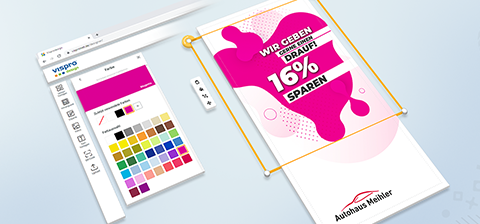
If you do not have ready-to-print data available, you can select Design Yourself during the product configuration process to access Visprodesign®, our free design tool. You will receive the design areas for your product and can access a variety of pre-made design templates here.
Additionally, you have the option to choose from further free cliparts, shapes, and photos, place texts, insert a QR code, or upload your own images via the upload area.
Ensure that all important image and text elements are within the dashed line, known as the safe zone. Elements outside this line may be affected by finishing processes, such as seams and eyelets. Background images should extend to the outer solid line to avoid unwanted white borders.
Product Preview
The 3D preview shows how the design will appear on the finished product. Additionally, a 2D product preview is available to precisely view and check individual side views up to the bleed format.
If you have any questions, we can assist you using the design number, located at the bottom left of the screen or in the bottom left of the hamburger menu.
Motif Selection
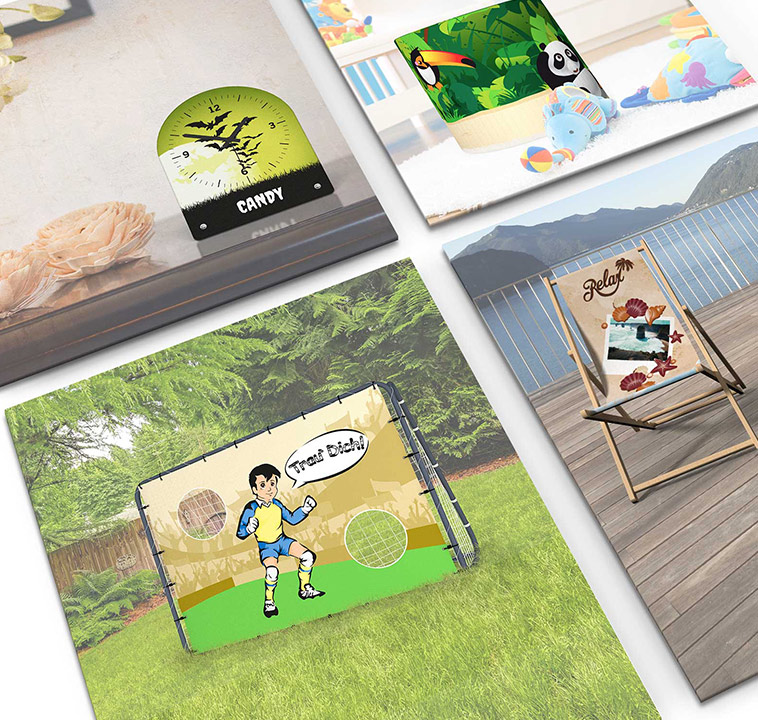
And if you need it done quickly: feel free to browse our motif selection. Choose from pre-configured and designed products. Of course, all motifs can be personalized and supplemented with additional design elements. Let our motif selection inspire you and order your finished product in just a few clicks.